



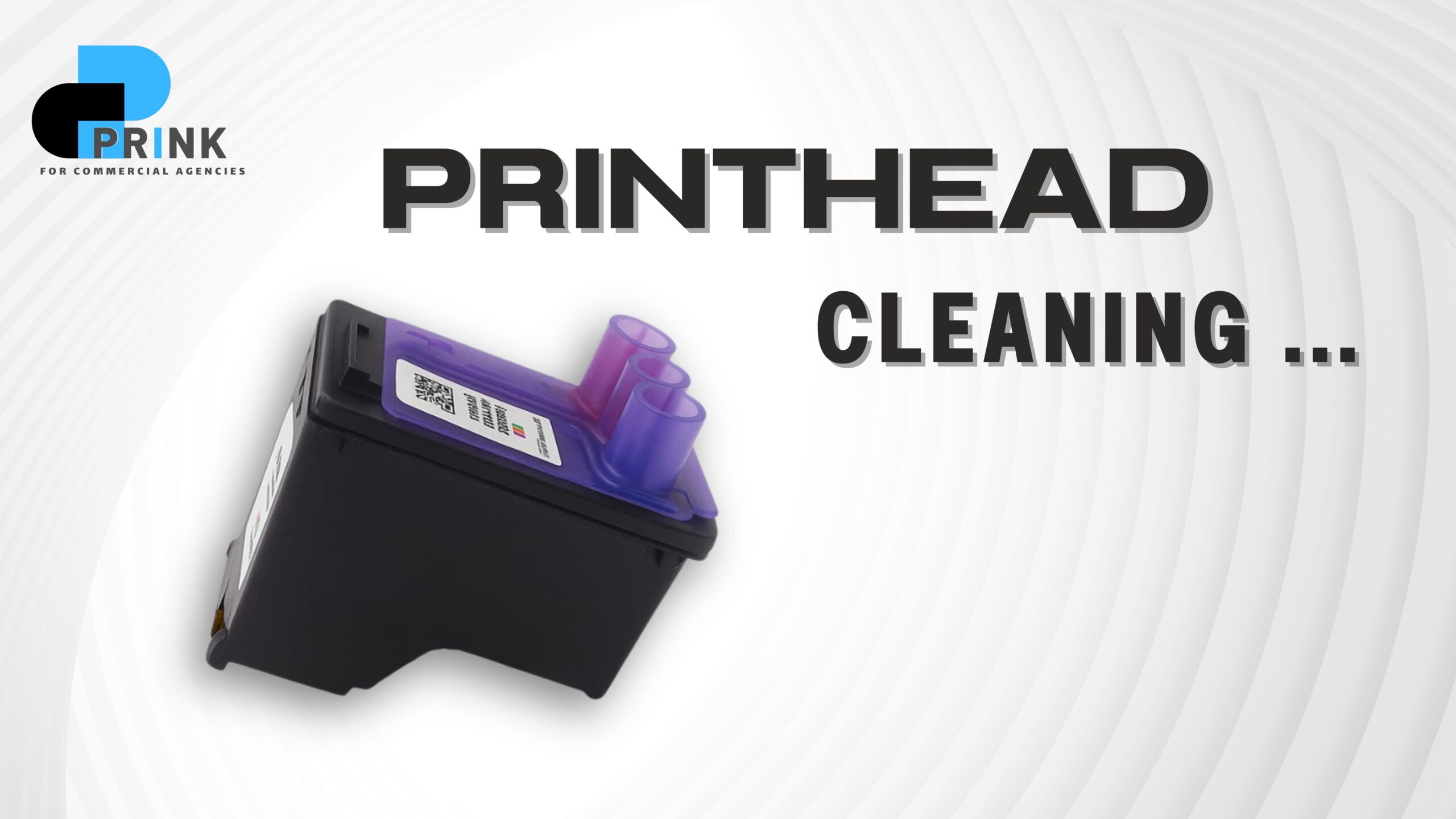
كيفية تنظيف روؤس الطباعة بدون فني
هل ترى خطوط أو تلطيخ في الطباعة؟
ربما تكون ال
printhead
الخاصة بطابعتك قد انسدت بسبب الجفاف أو مجموعة الحبر القديم
لا داعي للقلق
في هذا المقال كيفية تنظيف روؤس الطباعة بدون فني سنتعلم سويا كيفية تنظيف روؤس الطباعه دون الحاجة إلى فني بطريقة آمنة
ما تحتاجه لتنظيف روؤس الطباعة
www.prink-egy.com أو 01119666289
قبل أن تبدأ
اختر الأدوات التالية:
قطعة من المناديل الورقية أو القطن
كوب صغير به ماء دافئ (أو كحول إيزوبروبيل إن توفر)
قفازات بلاستيكية (اختياري). قطعة قماش نظيفة
الطابعه نفسها موصولة بالكهرباء ومفتوحة
الجزء الأول: استخدام برنامج الطابعة
افتح برنامج الطابعة على الكمبيوتر
“ابحث عن خيار “الصيانة” أو “الصيانة”
“اختر “تنظيف رأس الطباعة” أو “تنظيف الرأس
انتظر حتى تُنفَّذ الطريقة (يمكن أن تستغرق دقيقة أو دقيقة)
بعد الانتهاء اطبع صفحة تم اختبارها لمعرفة النتيجة
ملاحظة: بعض الطابعات تسمح بتكرار هذه الطريقة أكثر من مرة لإعطاء نتيجة أفضل
الخطوة الثانية: التنظيف باستخدام الماء أو الكحول
إذا لم تصنع الجديد يمكنك تجربة التنظيف الداخلي
1. إزالة الحبر من الطابعة:
- توقف مؤقتًا.
- اسحب الحبر برفقة من مكانه.
2. فحص رأس الحبر:
- انظر إلى الجزء الخلفي من الحبر (حيث تتخرج النقاط).
- إذا تم العثور على حبر جاف فاستمر في الخطوات التالية.
3. نقع الرأس في الماء أو الكحول:
- ضع رأس الحبر (الجزء الذي تخرج منه الحبر) في كوب صغير به ماء دافئ أو كحول إيزوبروبيل لمدة 10-15 دقيقة.
- لا تغمر بالكامل، فقط الجزء الملوث.
4. مسح الرأس كامل:
- استخدمي منديل ورقي ناعم أو قطعة قماش نظيفة لمسح الرأس.
- كرر إذا لزم الأمر.
5. تجفيف الحبر قبل إعادة تركيبه:
- اترك الحبر يجف لمدة 10 دقائق.
- ثم إعادة تركيبه في الطابعة.
6. الاختبار:
- اطبع صفحة اختبارية لتعلم إذا عادت الطباعة لطبيعتها وكرر اذا لزم الامر.
How to Clean Printheads Without a TechnicianDo you see lines or smudges in your printouts?
Your printer’s print head may be clogged due to dryness or old ink cartridges.
Don’t worry!
In this article, we’ll learn how to clean printheads safely without needing a technician.What you need to clean printheads
www.prink-egy.com or 01119666289
Before you begin:Gather the following tools:
A piece of paper towel or cotton ball
A small cup of warm water (or isopropyl alcohol, if available)
Plastic gloves (optional). A clean cloth
The printer itself is plugged in and turned on
Part 1: Using the Printer Software
Open the printer software on your computer
Look for the “Maintenance” or “Service” option
Select “Print Head Cleaning” or “Print Head Cleanup”
Wait for the process to complete (this may take a minute or two)
After completion, print a test page to check the results
Note: Some printers allow you to repeat this process more than once for better results
Step 2: Cleaning with Water or Alcohol
If you haven’t made a new printer, you can try internal cleaning
Remove the ink cartridge from the printer
.Gently pull the ink cartridge outCheck the ink cartridge
.Look at the back of the ink cartridge (where the dots are ejected).If dried ink is found, continue with the following steps
Soak the cartridge in water or alcohol
.Place the ink cartridge (the part where the ink is ejected) in a small cup of warm water or isopropyl alcohol for 10-15 minutes
.Do not fully submerge it. Only the contaminated partWipe the entire printhead
.Use a soft paper towel or clean cloth to wipe the printhead.Repeat if necessary
Allow the ink to dry before reinstalling
.Let the ink dry for 10 minutes.Then reinstall it in the printer
Test
.Print a test page to see if printing has returned to normal
عنواننا:
21 إدريس راغب، القبيسي، حي الظاهر
القاهرة
٢٤/٧ اتصال مجاني
201119666289+